Rep Detail Page
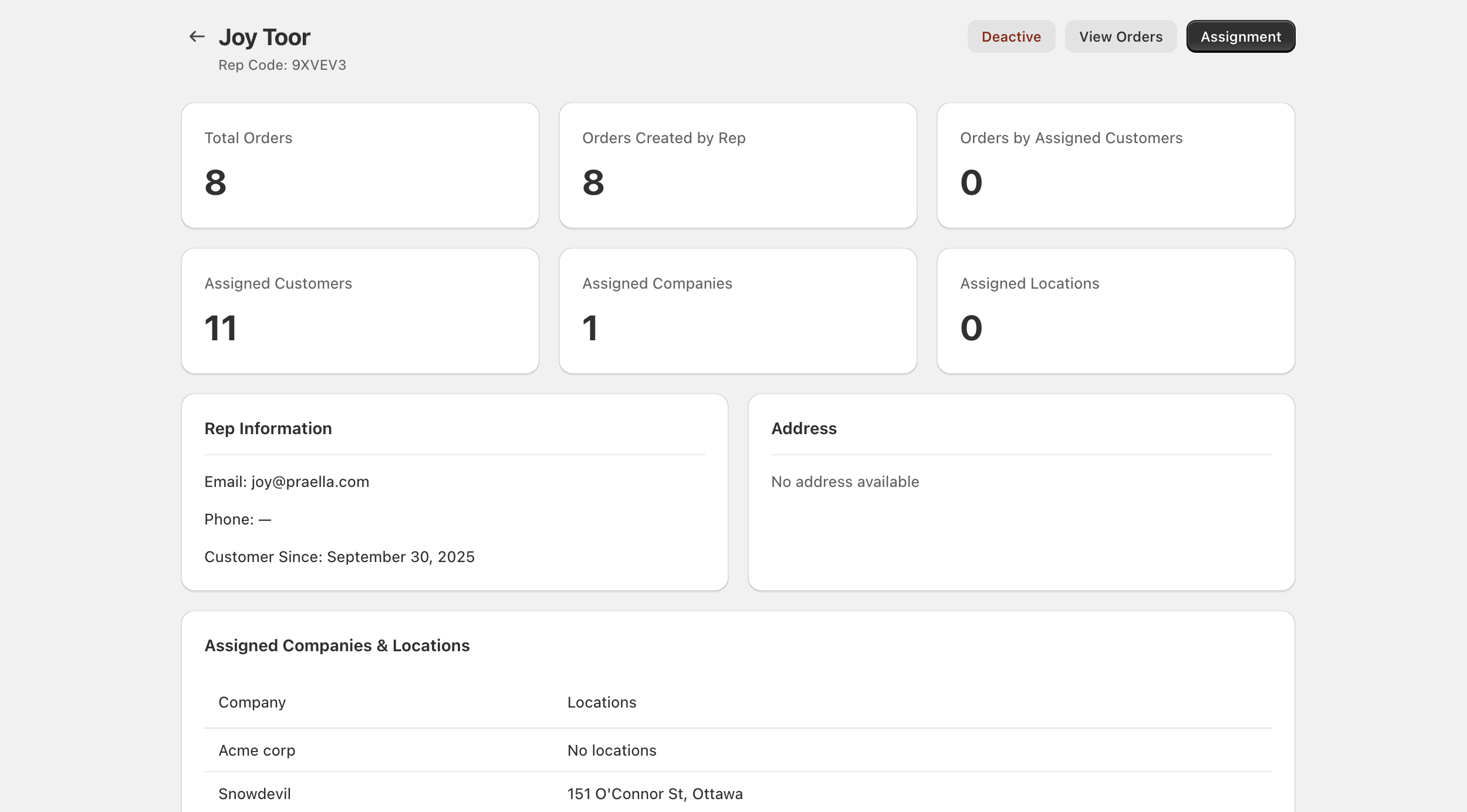
Click a rep's name in the list to open their profile. The page header shows the rep's name and a Rep Code: subtitle (for example, Rep Code: 9XVEV3), with Deactive/Active, View Orders, and Assignment as the page actions on the right.
In this guide:
- Performance Metrics
- Rep Information and Address
- Assigned Companies and Locations
- Timeline
- Page Actions
Performance Metrics
| Metric | What it means |
|---|---|
| Total Orders | Orders tied to this rep in the selected period |
| Orders Created by Rep | Orders the rep placed directly |
| Orders by Assigned Customers | Orders from buyers assigned to this rep |
| Assigned Customers | Count of customer assignments |
| Assigned Companies | Count of company assignments |
| Assigned Locations | Count of location assignments |
Rep Information and Address
The Rep Information card shows contact details from the Shopify customer record — Email, Phone (an em dash when not set), and Customer Since with the account creation date. The Address card shows the customer's address, or No address available when none is on file.
Assigned Companies and Locations
A summary table lists each company linked through assignments and which locations, if any, fall under it — showing No locations for a company assignment with no specific location tied to it, or the formatted address of each assigned location otherwise.
Timeline
Shopify customer events and rep code updates appear in chronological order, giving a running audit trail for the rep record.
Page Actions
| Action | What it does |
|---|---|
| Assignment | Opens the full assignments list for this rep |
| Active / Deactive | Turns the rep on or off |
| View Orders | Opens the Orders list filtered to this rep |