Overview
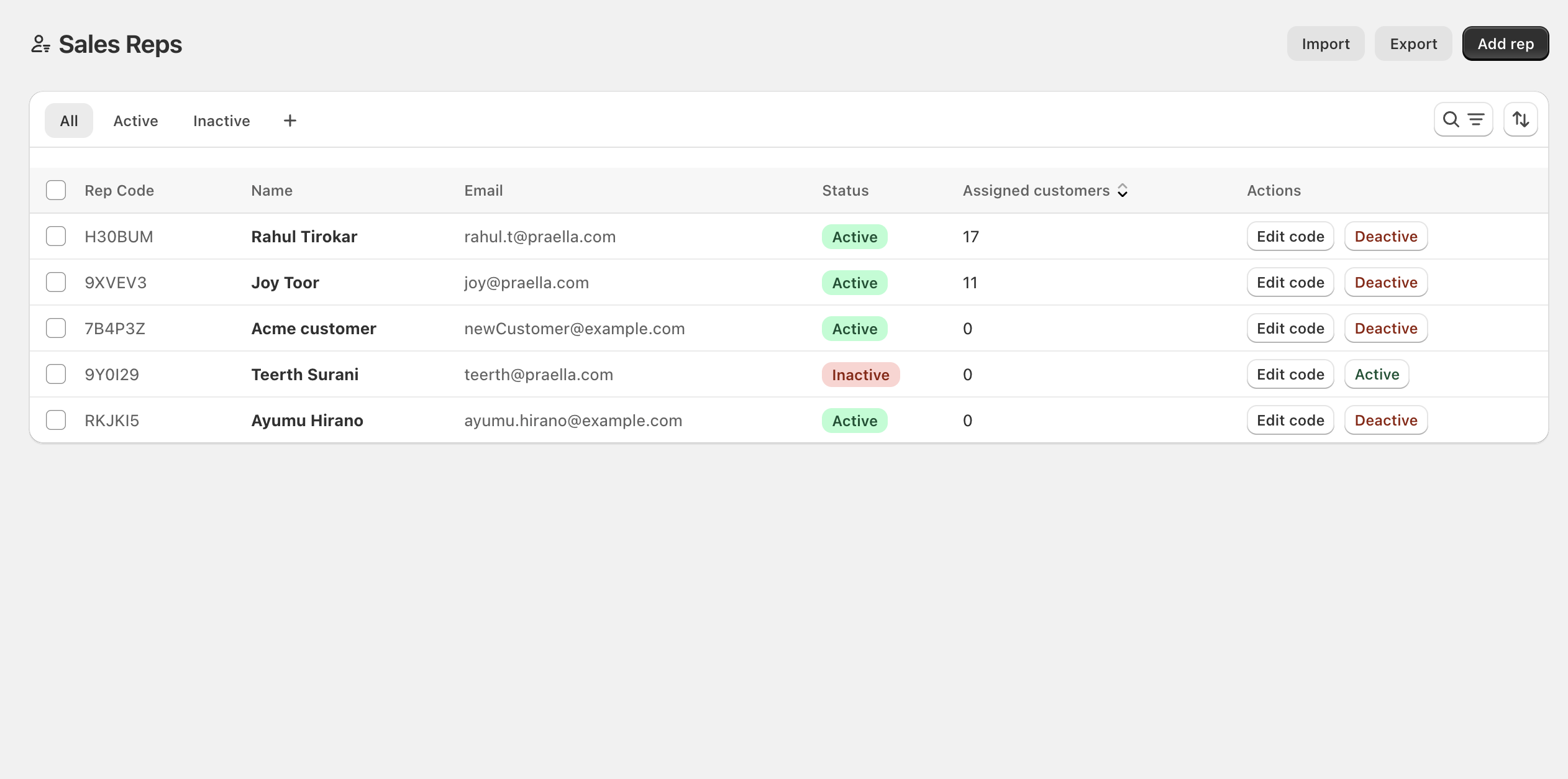
This module is written for store owners, sales managers, and staff who manage B2B sales representatives in Shopify Admin (Shopify Admin → Apps → B2B Plus → Sales reps). It covers adding reps, setting rep codes, assigning customers and companies, activating or deactivating reps, and bulk importing or exporting rep data.
In this guide:
- What are Sales Representatives?
- Benefits of Managing Sales Representatives in B2B Plus
- How Sales Representatives Integrate with Customers, Orders, and Companies
Watch the sales reps tour
What are Sales Representatives?
A sales rep is a Shopify customer flagged in B2B Plus to sell on the store's behalf. Reps log in on the Online Store, work with assigned B2B buyers, and can place orders for those accounts. Each sales rep has a name and email (from their Shopify customer record), a status (Active or Inactive), an optional rep code — a short unique code used on the storefront — and assignments linking them to specific customers, companies, or locations they manage. Only Active reps can use rep features on the storefront; Inactive reps are hidden from buyer-facing experiences until reactivated.
Benefits of Managing Sales Representatives in B2B Plus
- Turn any existing Shopify customer into a rep in a few clicks, or invite a brand-new rep who has no account yet.
- Rep codes give reps a short, storefront-facing identifier without exposing their Shopify customer ID or email.
- Assignments (Customer, Company, or Location) control exactly which buyers a rep can see and order for, rather than exposing the entire B2B customer base.
- Rep-level performance metrics — total orders, orders created directly versus placed by assigned customers, and assignment counts — are visible in one place on the rep's detail page.
- Bulk CSV import and export support onboarding or restructuring many reps' assignments at once.
How Sales Representatives Integrate with Customers, Orders, and Companies
A rep's assignments determine what they can act on: a Customer assignment connects one specific buyer, a Company assignment covers an entire B2B company and all its locations, and a Location assignment ties the rep to one company location such as a warehouse or branch. Orders placed by the rep, or placed by any customer assigned to them, roll up into the rep's performance metrics on their detail page, and the same assignment data drives what a rep can see when using rep features on the storefront.
For a rep to actually place B2B orders on behalf of buyers, they usually also need the matching company or location linkage in Shopify B2B itself — not just an assignment row in B2B Plus. When importing via CSV, this Shopify B2B linking can be set automatically from the Assign Location or Assign Company columns when the rep has no existing B2B assignment yet.