Filtering Purchase Orders
In this guide:
Filter by Status
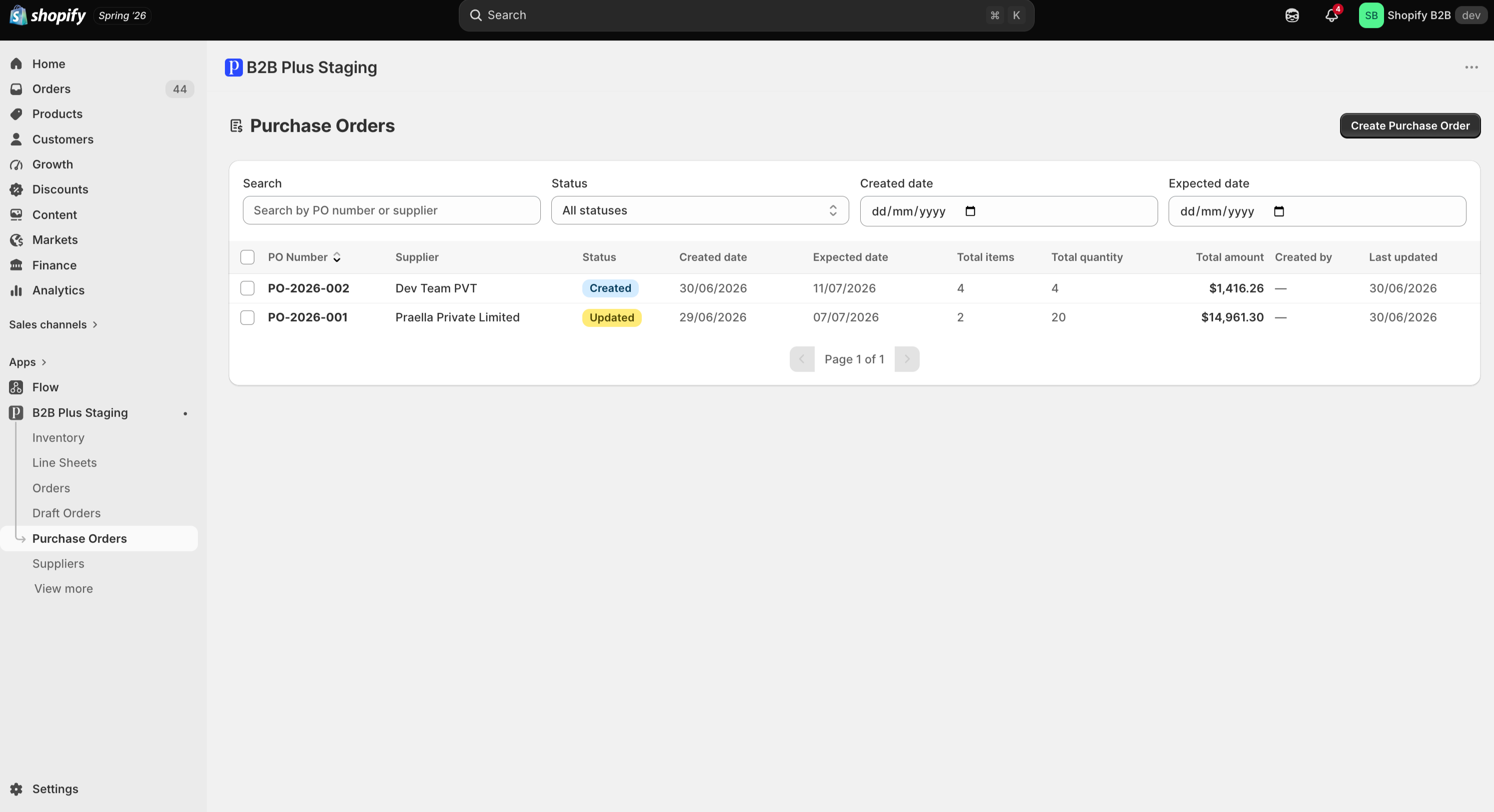
Use the Status dropdown (default All statuses) to narrow to Created, Updated, Partially received, Closed, or Cancelled.
Filter by Created Date
Use the Created date picker to find POs created on or around a specific day.
Filter by Expected Date
Use the Expected date picker to find POs due around a specific delivery date.