Filtering Invoices
In this guide:
Filter by Status
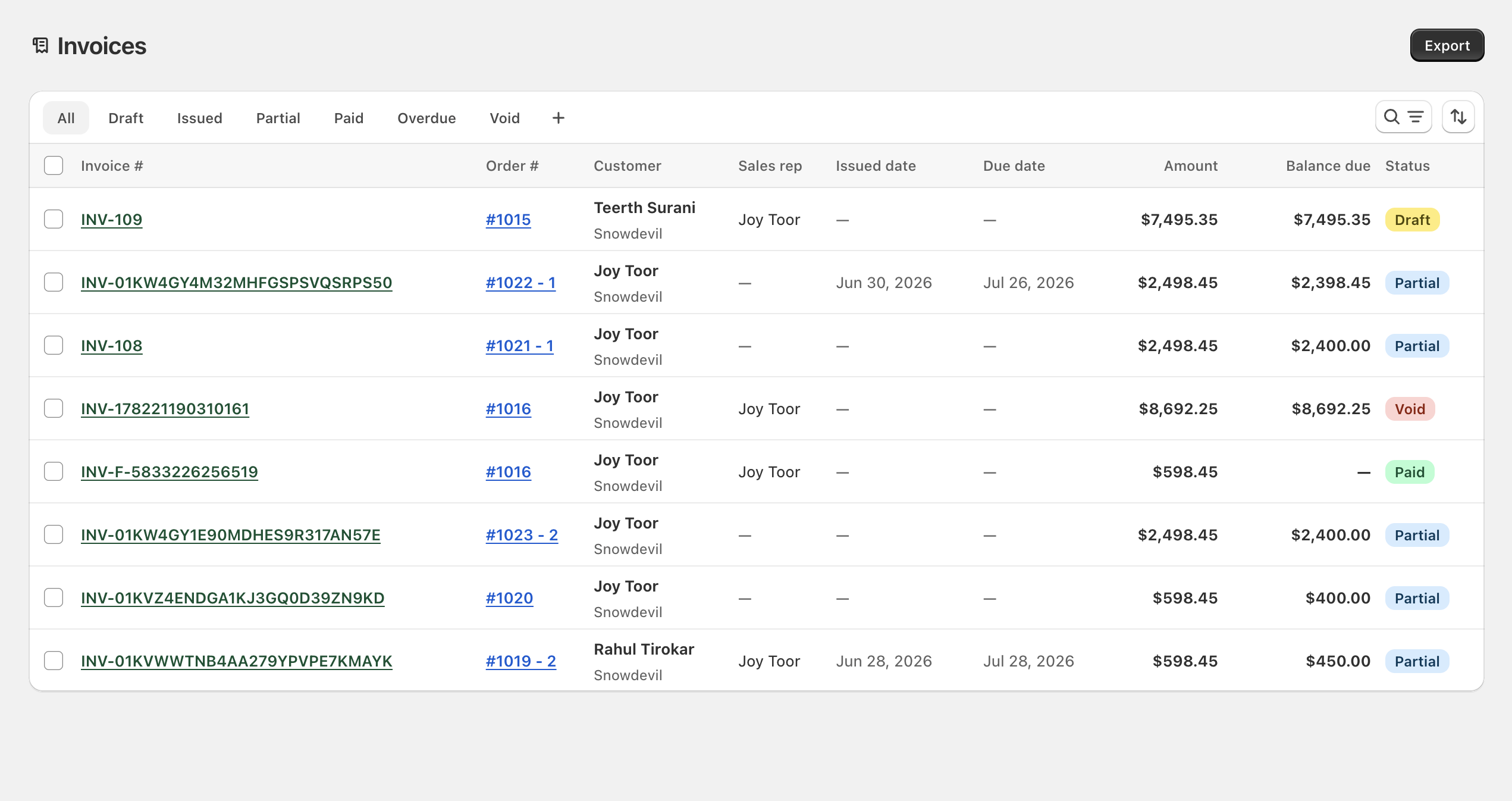
Tabs across the top filter by status:
| Tab | Shows |
|---|---|
| All | Every invoice regardless of status |
| Draft | Generated but not yet sent |
| Issued | Sent, with a balance still due |
| Partial | Some payment received; balance remains |
| Paid | Fully paid |
| Overdue | Past due date with an outstanding balance |
| Void | Cancelled |
Advanced Filters
| Filter | Use |
|---|---|
| Issue date range | Invoices issued within a date range |
| Due date range | Invoices due within a date range |
| Amount min/max | Invoices within a total-amount range |
| Balance due min/max | Invoices within an outstanding-balance range — useful for large open balances |
Sort Invoices
Sort by issued date, due date, amount, or balance due.
Saved Views
Create and save custom invoice views — a combination of filters, search, and sort — as a named tab for repeat finance workflows (for example, an “Overdue — Net 30” view).