Exporting Orders
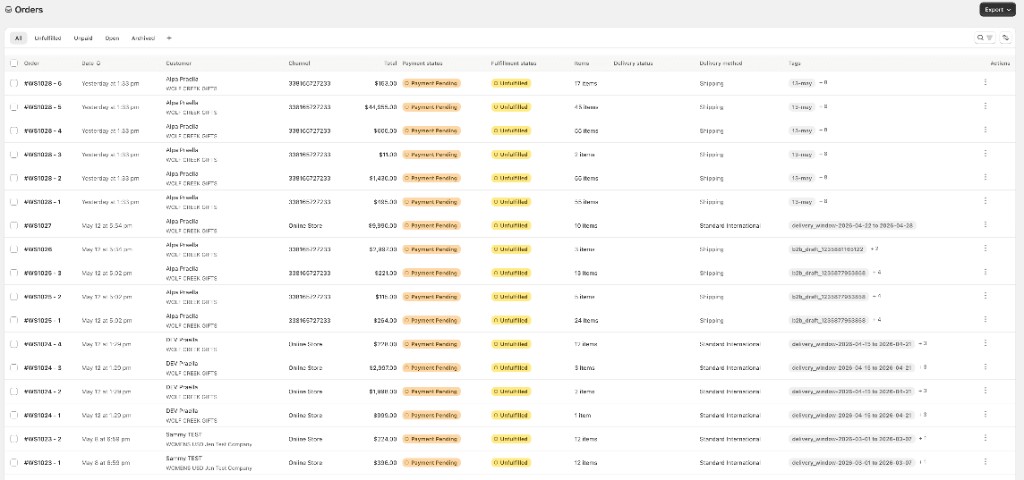
Export order data from the Orders list header or from a single order/shipment.
In this guide:
Export Options
Click Export in the page header (top right). The button is disabled when the current page has no orders.
| Option | What it exports |
|---|---|
| Full Order Details | Line-level detail (CSV) for orders on the current page |
| Order Summary | Order-level summary (CSV) for orders on the current page |
Page Export is limited to the current page of results (25 rows). For a full filtered export beyond one page, change pages and export again, or use per-order downloads for the specific orders you need. Row-level and page-level exports generate synchronously in the browser — there is no background export queue for Orders.
Per-Order Export Formats
Available from both the Orders list row Actions menu and order detail More actions → Export Actions:
| Format | Output |
|---|---|
| Download Order XLS | Excel workbook for the order/shipment |
| Download Product Data XLS | Product-level Excel export |
| Download Line Sheet PDF | Line-sheet layout PDF for the order lines |
| Download Order PDF | Invoice-style order PDF |
All four per-order formats download immediately in the browser and respect shipment scope when opened from a shipment row. For ERP-style JSON payloads, use View JSON on order detail. See Order Details — View JSON.