Product Management
Add, review, and maintain the products on a line sheet.
In this guide:
Assign Products
Selecting Products
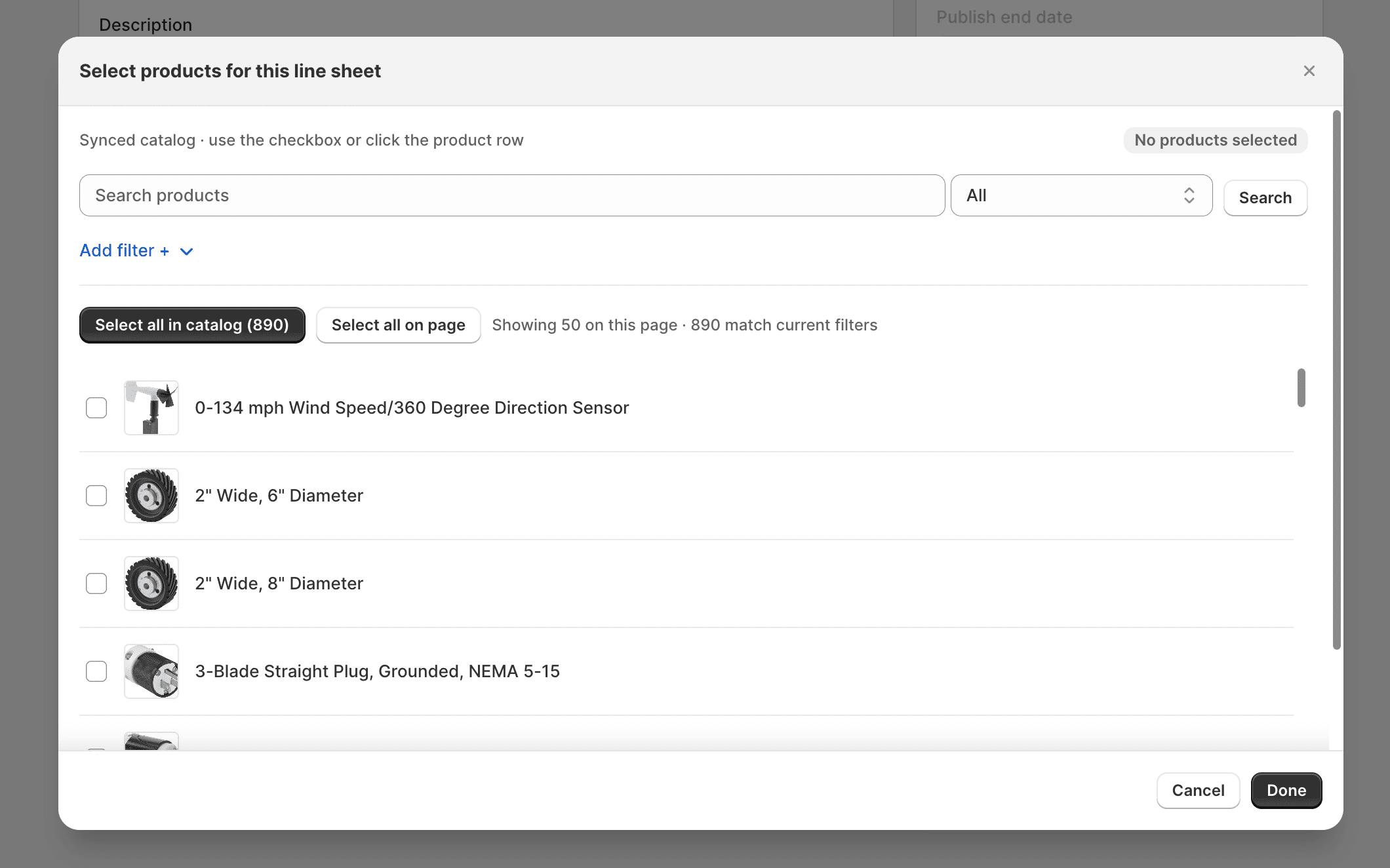
Use the product picker's filters (Search, Vendor, Product type, Status, Tag, Line sheet) to find and check the products to include. See Add Products.
Managing Product Assignments
Review, remove, or re-select products from the Selected products list at any time before or after the line sheet is saved. On the edit page, selected products appear as numbered rows with thumbnail, title, Active/Draft/Archived badge, and × to remove. Search and sort within the selected list when the catalog is large. See Edit a Line Sheet.
Product Catalog Assignment
| Assignment | Behavior |
|---|---|
| Immediate Products | Products assigned to an Immediate-type line sheet are expected to be backed by Immediate/ATS inventory records |
| Future Products | Products assigned to a Future-type line sheet are expected to be backed by Future inventory records with availability dates |
| Prebook Products | Products assigned to a Prebook-type line sheet are expected to be backed by Prebook/Booking inventory records |
The product picker's Line sheet filter shows which other line sheets a product already belongs to, since the same product can be reused across multiple catalogs.
Even when a product is included in a published line sheet, its actual sellable quantity still follows the underlying Inventory record for that catalog type.