Filtering Inventory
Narrow the Inventory grid with warehouse, type, season, and PO filters—or save a custom view for segments you use often.
In this guide:
Filter by Location
Scope the list to a single Warehouse using the Warehouse filter on the Inventory page.
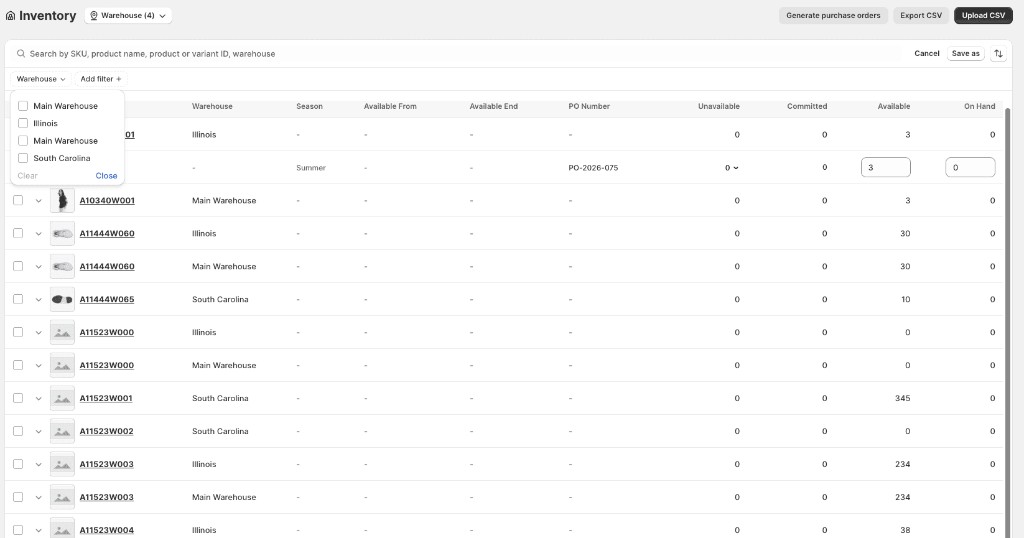
Custom filter combinations can be saved as views for frequently accessed inventory segments.
Filter by Inventory Type
Use the type tabs above the Inventory grid to scope the list to Immediate, Future, Prebook, or Expired records.
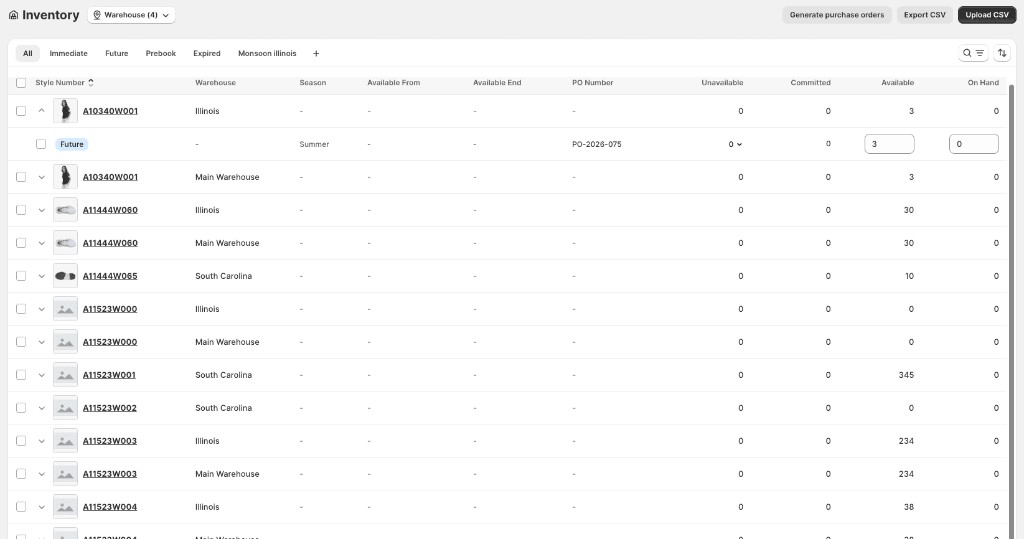
You can also save a filtered view — for example, a warehouse-specific tab such as Monsoon Illinois — using Save as after applying filters.
Filter by Season
Scope the list to one season. Custom filter combinations can be saved as views for frequently accessed inventory segments.
Filter by PO
Scope the list to records tied to a specific purchase order number.