Managing Suppliers
Supplier records connect vendors to products so Generate purchase orders and the Purchase Orders module can pre-fill the correct supplier on each line.
Suppliers must be assigned to products before they can be used in this flow. Assigning Suppliers, Supplier Requirements, and the full Supplier Workflow are covered in depth in the dedicated Suppliers module; this section also covers how supplier assignment surfaces inside Inventory's own purchase-order generation.
In this guide:
- Suppliers list
- Create or edit a supplier
- Import suppliers
- Product linking
- Assigning Suppliers
- Supplier Requirements
- Supplier Workflow
Suppliers list
Open Shopify Admin → Apps → B2B Plus → Suppliers (when the Purchase Orders feature is enabled). This is the home screen for all vendors.
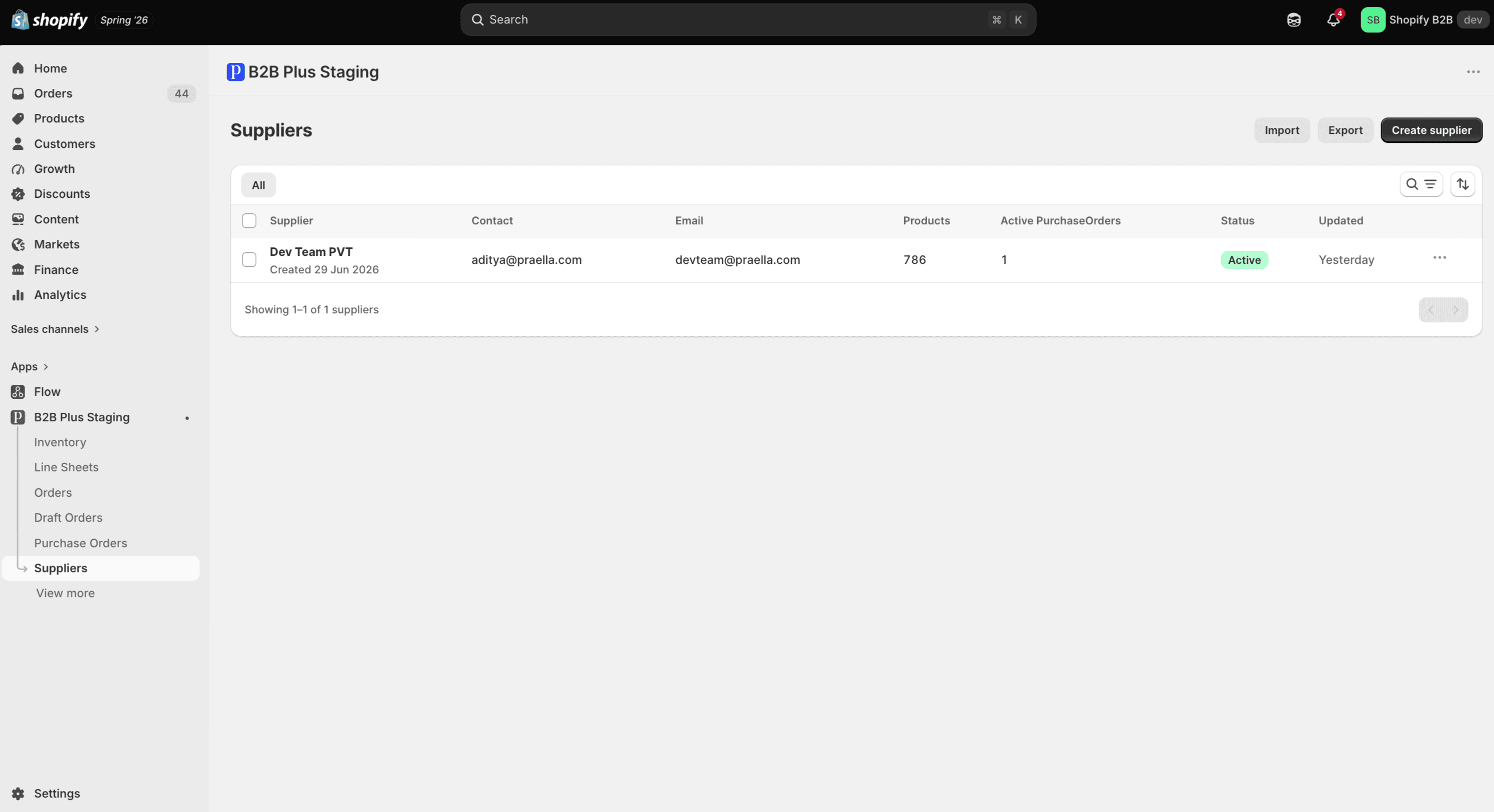
| Column | What it shows |
|---|---|
| Supplier | Company name and created date |
| Contact | Primary contact name |
| First email on file | |
| Products | Count of linked products (manual + auto-sync) |
| Active Purchase Orders | Number of active POs for this supplier |
| Status | Active or Archived |
| Updated | Relative time since last change |
From the list you can Create supplier, Import, Export, search by company/contact/email, and filter by status (All, Active, Archived) or product linkage.
Create or edit a supplier
Click Create supplier to open the create form, or open an existing row to edit contact details, status, and linked products.
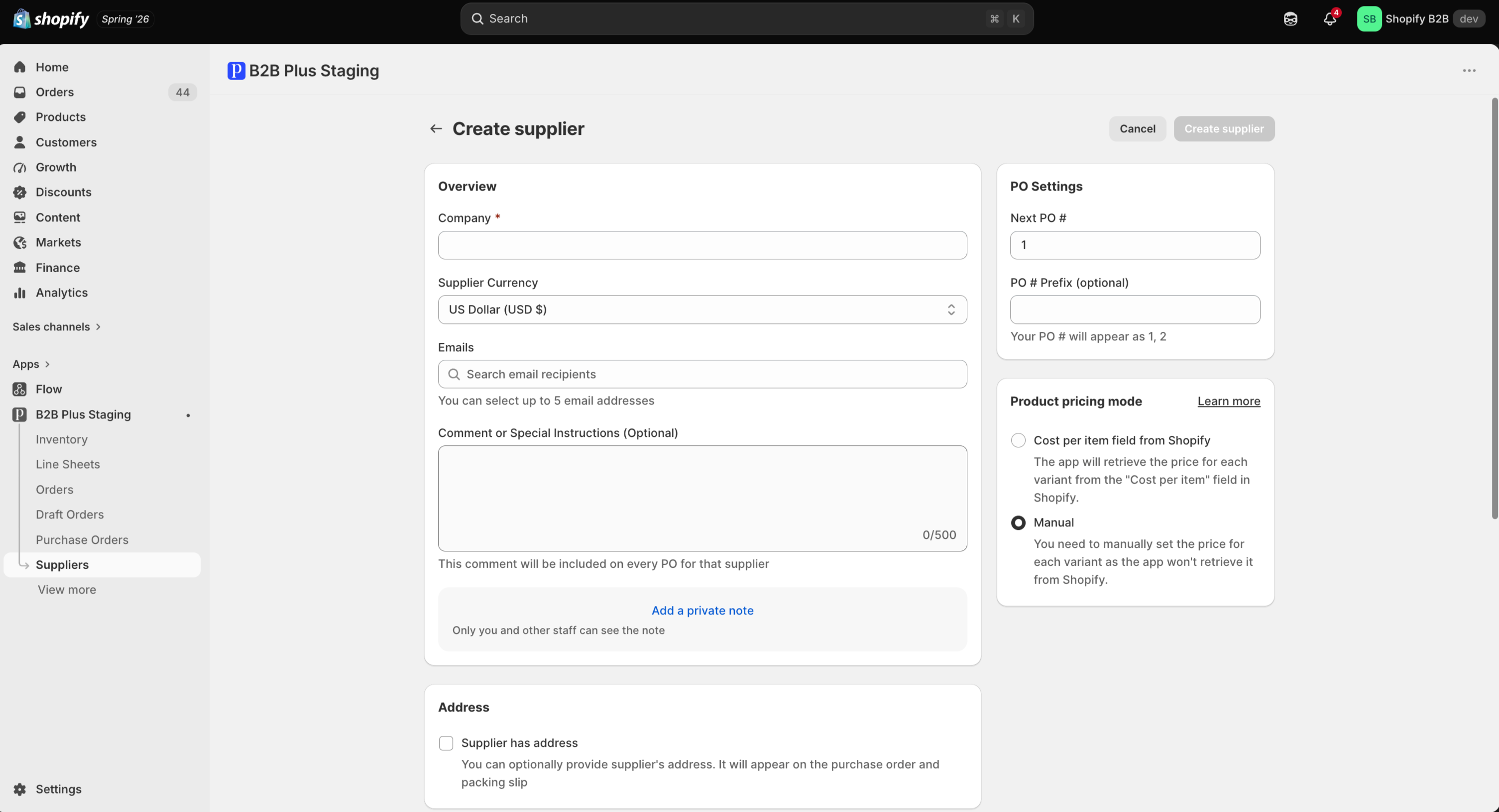
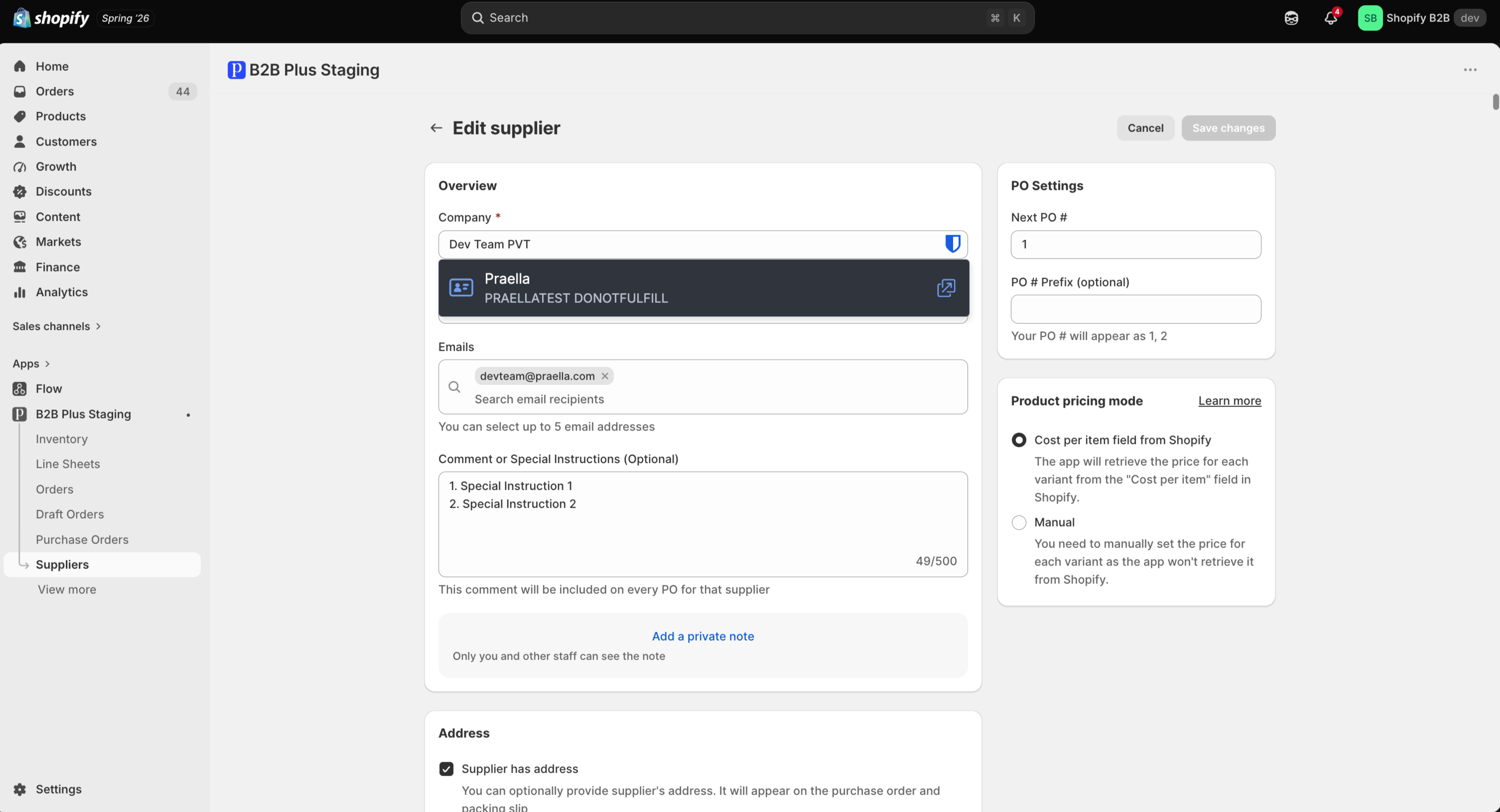
Suppliers can be Active or Archived. Archived suppliers stay in the system but are hidden from default list filters and typical PO pickers.
Import suppliers
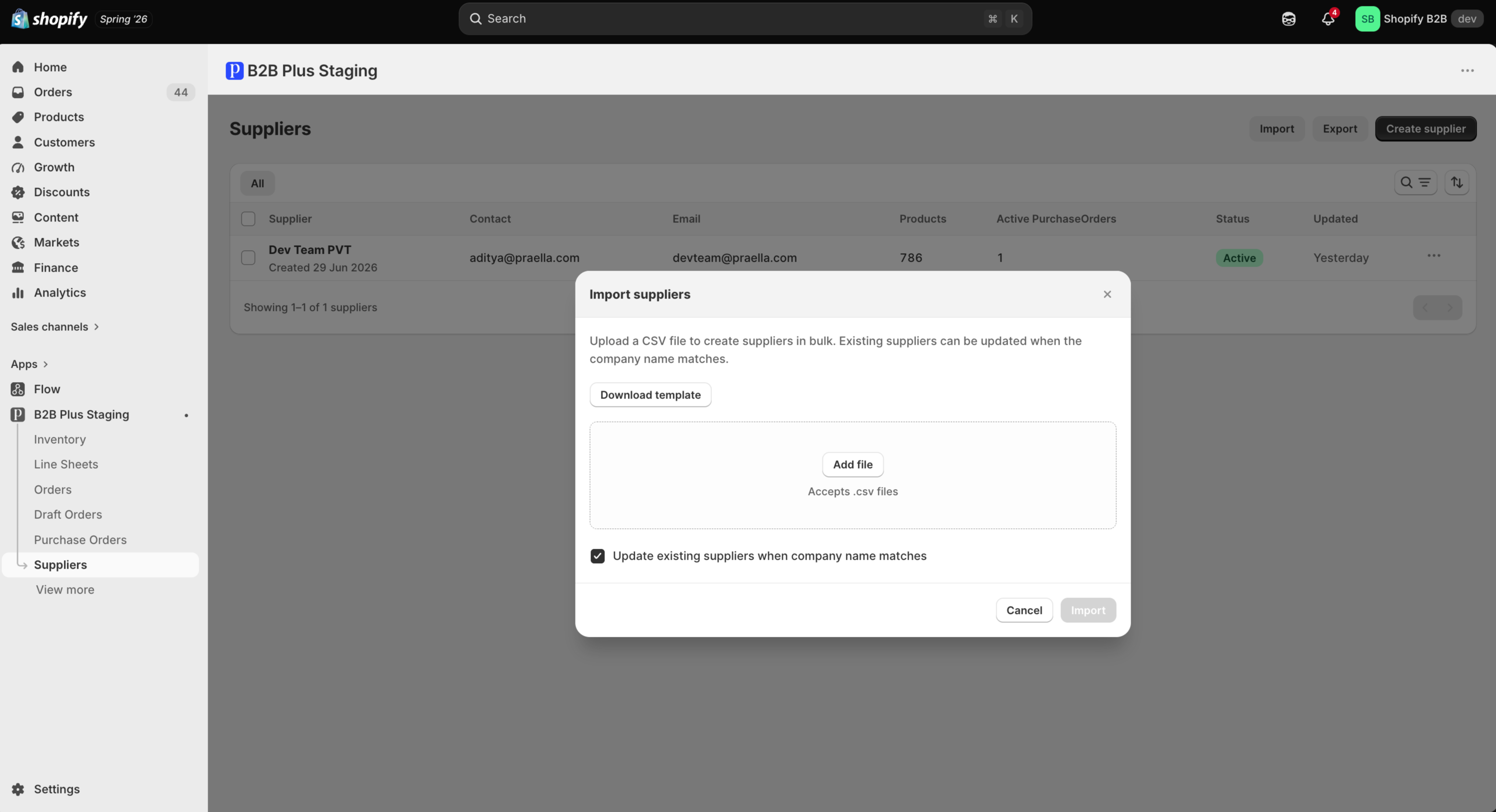
Use Import on the Suppliers list to upload a CSV of suppliers in bulk.
Product linking
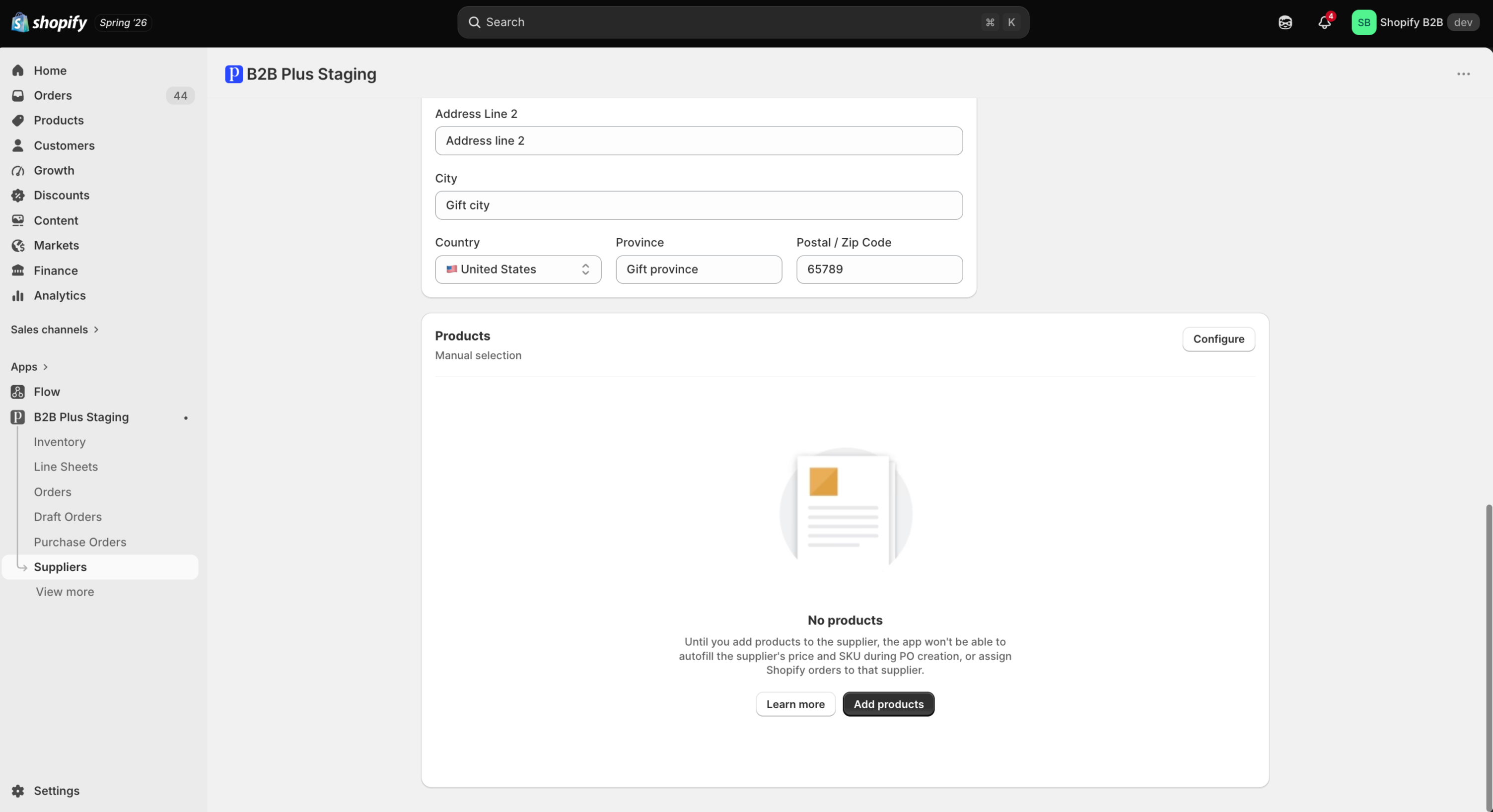
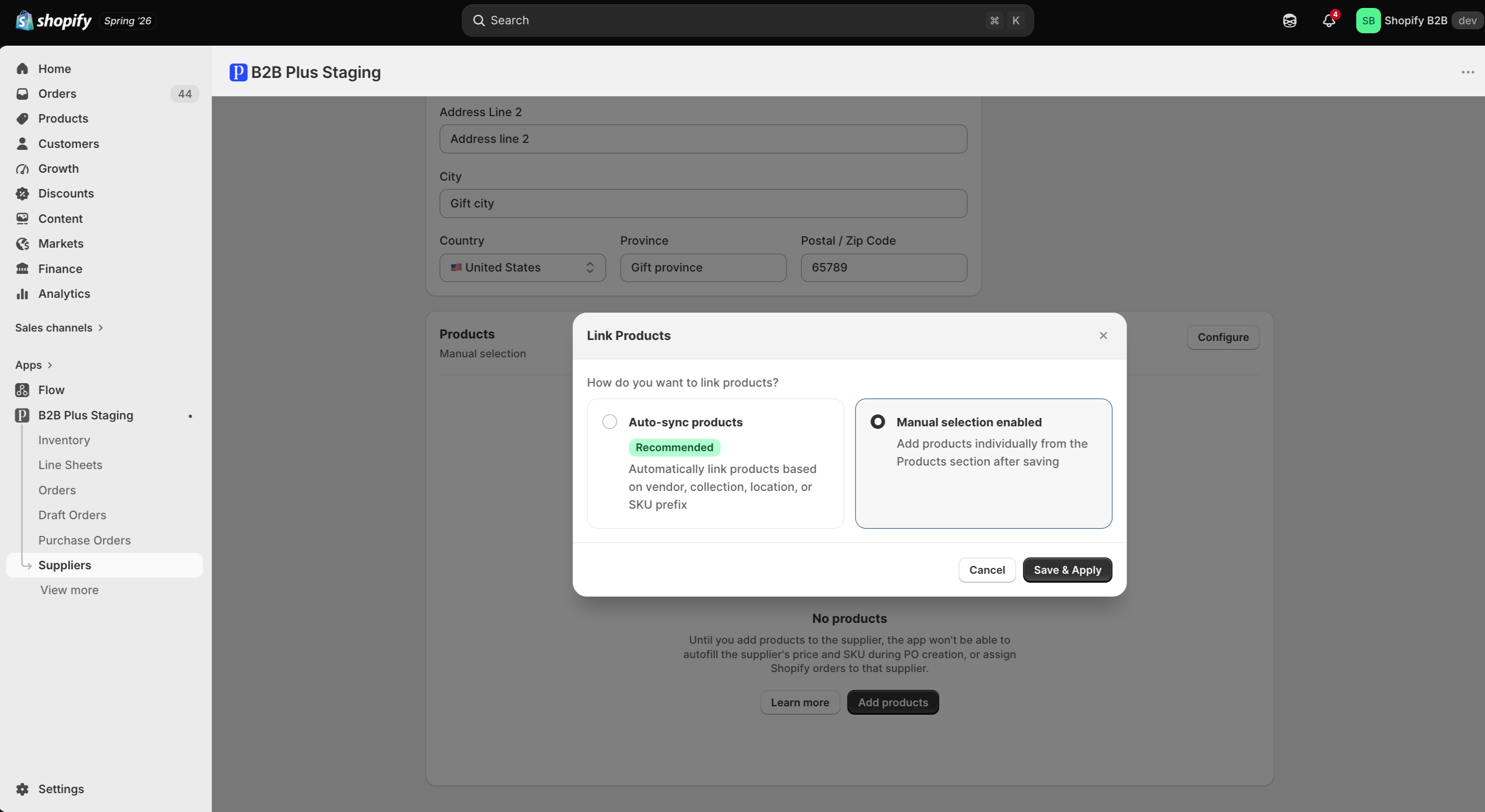
Link products to a supplier so Inventory Generate purchase orders and PO creation can resolve the default vendor. Empty product linking means no products are associated yet — use the product linking modal to add them.
Assigning Suppliers
Suppliers must be assigned to products before they can be used in Inventory’s generate-PO flow. See Purchase Orders for full purchase order guidance.
Supplier Requirements
A supplier must be assigned to a product before it can be included in Generate purchase orders from the Inventory page. Unassigned products trigger Missing Supplier errors when a PO is attempted.
Supplier Workflow
Supplier linkage in Inventory drives Generate purchase orders for low or negative stock. For creating and receiving POs, see Purchase Orders and Purchase Order Workflow.