Inventory Calculations
Quantity columns change as orders are placed, stock is received, and unavailable buckets are adjusted. Use this guide to understand the formulas and workflows behind those updates.
In this guide:
How Available Inventory is Calculated
Sellable Quantity reflects On-hand stock minus Committed and Unavailable amounts, plus any Incoming stock that a Future or Prebook type is configured to count toward availability.
Inventory Updates
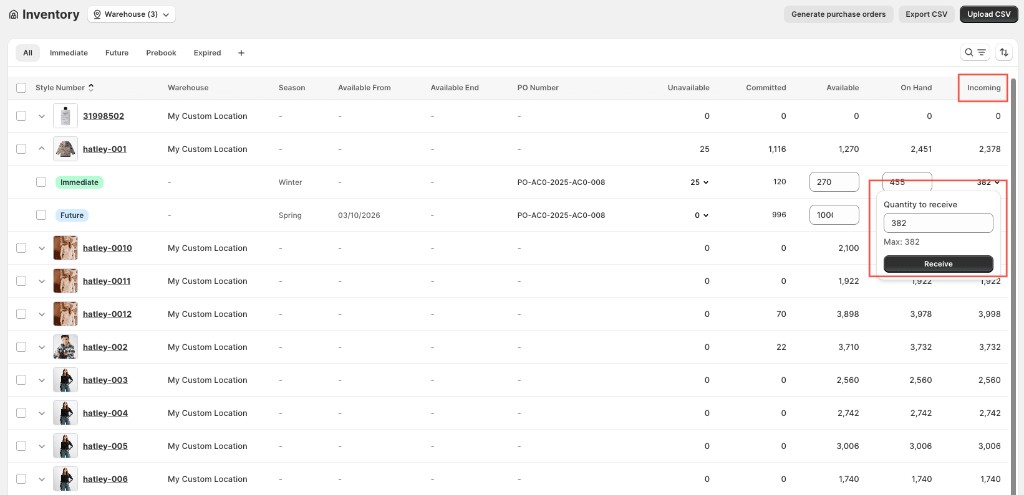
Quantity and On-hand increase automatically when incoming stock is received — click a row's Incoming value to open the inline receive panel; Incoming decreases and sellable Quantity and On-hand increase by the received amount.
Adjustments to unavailable buckets move stock into or out of sellable Quantity without changing On-hand, since the stock never leaves the warehouse — it simply moves between sellable and unavailable status. See Unavailable Inventory.